Article
Dusk Twilight Princess: What the Native PC Port Changes in 2026
A deeper guide to Dusk Twilight Princess, the native PC port release, platform support, legal requirements, graphics upgrades, texture packs, mods, and setup priorities.
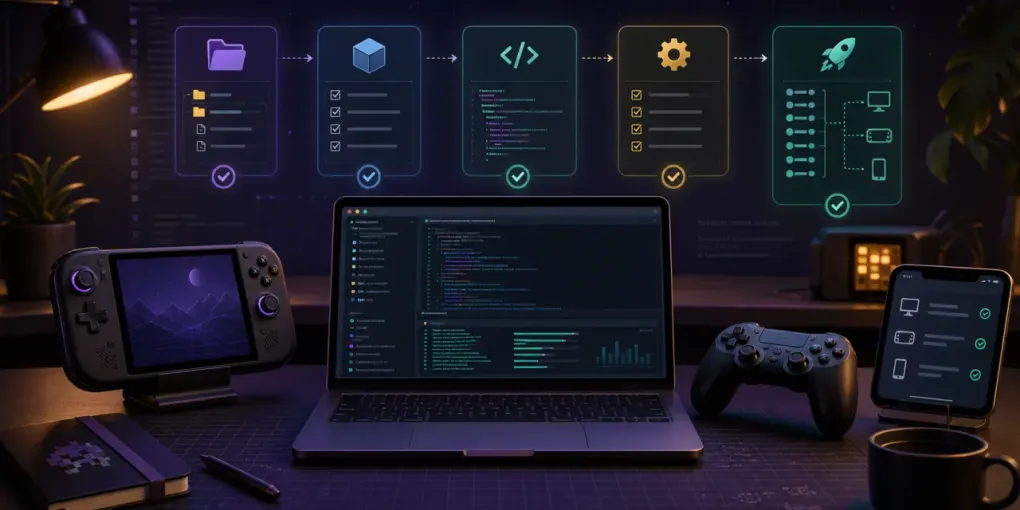
Dusk Twilight Princess is the first project HomebrewPort is covering in depth because it sits at the center of three things players are searching for right now: a native PC port, practical Steam Deck setup, and safer guidance around texture packs and mods. The point of this article is not to repeat an announcement. It is to explain what Dusk Twilight Princess actually changes, what it does not include, and what a careful first setup should look like.
The official Dusk site describes the project as a way to bring a classic adventure to PC and mobile platforms with fixes and improvements. It also states the important legal boundary clearly: you must provide a dump of your own copy of the original game to run Dusk. That single requirement shapes every Dusk Twilight Princess guide on this site.
Dusk Twilight Princess is a native port story, not an emulator story
Dusk Twilight Princess matters because it is positioned as a native port-style project, not a preconfigured emulator package. That changes the user expectation. Instead of choosing an emulator, finding graphics packs, and tuning a virtual console profile, users are looking for a direct build that runs on modern operating systems.
That does not mean Dusk Twilight Princess replaces every other way to play Twilight Princess. It means the setup questions are different. You need the official Dusk build, your own legally dumped GameCube copy, a device-specific install path, and a way to test the clean build before adding texture packs or mods.
The difference also matters for SEO and user safety. Many players will search for Dusk Twilight Princess after seeing release chatter, then land on pages that blur the line between a port, an emulator, and copyrighted game data. HomebrewPort keeps those topics separate.
Dusk Twilight Princess platform support is the big headline
The official Dusk site lists Windows, Linux, macOS, iOS, and Android support through the Aurora compatibility layer. That platform spread is why Dusk Twilight Princess is already more than a Windows-only curiosity. It is a Steam Deck question, an iOS sideloading question, an Android handheld question, and a desktop settings question all at once.
For most users, the first decision is simple:
- Use the Steam Deck guide if you want a handheld-first setup with Steam Input and battery tradeoffs.
- Use the Windows guide if you want the easiest desktop testing path, high resolution, and controller flexibility.
- Use the iOS guide if you understand sideloading, certificate renewal, and Files app placement.
Dusk Twilight Princess can be exciting across all of those platforms, but each one has a different failure mode. Steam Deck users may struggle with controller bindings. Windows users may choose the wrong build or add enhancements too early. iOS users need to manage signing and storage. A useful guide has to separate those paths instead of treating Dusk Twilight Princess as one generic download.
Dusk Twilight Princess improves graphics without changing the game tick
One of the most interesting technical details around Dusk Twilight Princess is the way higher frame rates are discussed. OC3D quotes the Dusk explanation that the game world still ticks at 30 updates per second, while rendering can happen at a faster rate through interpolation. In plain English, Dusk Twilight Princess can look smoother without pretending that the original game logic updates at the same speed as the display.
That distinction is important for speedrunners, preservation-minded players, and anyone who wants the game to feel correct. A native port can add modern display behavior, but the best version of that work respects the original timing model. Dusk Twilight Princess appears to be aiming for that middle ground: higher resolutions and smoother output without casually rewriting the fundamentals.
This is also why HomebrewPort separates “settings” from “enhancements.” A frame cap, resolution, controller profile, or display mode should be tested before adding a texture pack. If Dusk Twilight Princess fails after five changes at once, you do not know which change caused the problem.
Dusk Twilight Princess texture packs are the first enhancement layer
Dusk Twilight Princess texture packs are going to be one of the fastest-growing search topics because the appeal is obvious. Twilight Princess has strong art direction, but modern displays expose old texture limits. A good texture pack can improve readability and presentation, especially at 1080p, 1440p, 4K, or on a large TV.
The safe workflow is boring but effective:
- Confirm Dusk Twilight Princess launches cleanly.
- Back up the working config and save location.
- Add one texture pack.
- Test menus, loading, cutscenes, and a few different areas.
- Only then combine packs or raise resolution.
The community has already been discussing texture replacement paths, including TwilitRealm/Dusk/texture_replacements style folders on desktop systems. HomebrewPort will treat those paths as version-sensitive guidance and update pages as official documentation settles. Dusk Twilight Princess is moving fast, so exact folders should come from the current release notes or the running app where possible.
Dusk Twilight Princess mods need a compatibility-first mindset
Dusk Twilight Princess mods are different from texture packs because they can affect logic, difficulty, models, interface behavior, or progression. That makes them more powerful and more likely to conflict. A mod list that only ranks “best mods” without explaining compatibility is not good enough.
For launch coverage, HomebrewPort groups Dusk Twilight Princess mods into four practical buckets:
- Quality-of-life mods that change small usability details.
- Cosmetic mods that change presentation without intending to alter progression.
- Gameplay or difficulty mods that should be tested with backed-up saves.
- Visual effects mods that may cost performance on handhelds and mobile devices.
That structure is intentionally conservative. Dusk Twilight Princess is new, and compatibility knowledge will improve quickly. The best early advice is to keep a clean install, add one mod at a time, and write down which Dusk build you tested.
Dusk Twilight Princess legal requirements should be visible, not hidden
The official project is clear that Dusk Twilight Princess requires a dump of your own original game. HomebrewPort follows that line everywhere: no commercial game files, no aggregator links, no hashes, no “just search for it” hints, and no instructions that turn a setup guide into a piracy funnel.
This is not just a legal posture. It is useful for readers. If someone is trying to troubleshoot Dusk Twilight Princess and they used a repack or an unknown bundle, the guide cannot reason about their setup. Official builds plus user-owned files are the only baseline worth documenting.
The same rule applies to external links. HomebrewPort points to official project pages, official sideloading tools, author pages, or reputable community pages. When a link leaves the site, the site now asks for confirmation twice: once to make sure you know you are leaving, and once to remind you that external pages have their own risks.
Dusk Twilight Princess and Courage Reborn are separate projects
Another reason Dusk Twilight Princess needs careful coverage is that Twilight Princess now has more than one native-port effort in public discussion. Time Extension reported that Dusk and Courage Reborn are separate projects with different teams and visions. That matters because users may search for one and accidentally follow instructions for the other.
HomebrewPort will keep Dusk Twilight Princess pages focused on Dusk. A future comparison page can explain Courage Reborn, technical approach, feature status, and which project fits which user. Until then, the practical rule is simple: do not mix project instructions, files, or assumptions.
Dusk Twilight Princess setup priorities for launch week
If you are setting up Dusk Twilight Princess during launch week, the order matters more than the excitement:
- Read the official release notes.
- Download the official build for your device.
- Prepare your own legally dumped GameCube copy.
- Launch Dusk Twilight Princess without texture packs or mods.
- Test input, saving, display mode, and performance.
- Back up the working setup.
- Add texture packs, then mods, one layer at a time.
That sequence is the foundation for every HomebrewPort page. The Dusk Twilight Princess hub helps you choose a route, while the Steam Deck, Windows, and iOS guides turn that route into device-specific steps.
Dusk Twilight Princess also creates different search intent for different readers. A Steam Deck owner wants a Dusk Twilight Princess handheld checklist, a Windows user wants a Dusk Twilight Princess desktop setup, an iOS user wants a Dusk Twilight Princess sideloading path, and modders want Dusk Twilight Princess enhancement notes that do not break a clean install.
Dusk Twilight Princess is also a site architecture test
Dusk Twilight Princess is the first featured project, but HomebrewPort is being built as a broader guide system for homebrew PC ports. The same structure can support future ports: a project hub, platform install pages, enhancement indexes, compatibility matrices, and focused troubleshooting pages.
That is why the launch article is longer than a news post. Dusk Twilight Princess is not just a headline; it is the first chance to prove that a guide site can be useful without becoming messy, unsafe, or shallow. The next phase is deeper tooling: configuration presets, controller mapping visuals, richer compatibility tables, and page updates as the Dusk project evolves.
For now, start with the Dusk Twilight Princess PC port guide, then choose the platform page that matches your device. If your clean Dusk Twilight Princess install works, move to texture packs and mods only after you have a setup you can restore.
Dusk Twilight Princess sources to monitor
For future updates, the most useful Dusk Twilight Princess sources are the official TwilitRealm site, the Dusklight GitHub releases page, OC3D’s report on the unofficial native PC version, and Time Extension’s coverage of Dusk and Courage Reborn as separate Twilight Princess port efforts. HomebrewPort should keep using those sources as anchors when the Dusk Twilight Princess setup pages change.